Screens
Quasar on FM-1's screen, as firmware draws it. Made for reading at a glance: few words, very large type, high contrast, colour for each track.
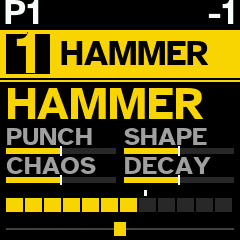
Track view
Track's number on bar in its colour, with its engine profile (here HAMMER) and, below, sound's family. 4 macros main knobs turn, as bars; level, segmented; pan. Top left, pattern playing; top right, octave.
PRESETS changes profile; HOME draws new sound; white keys play track.
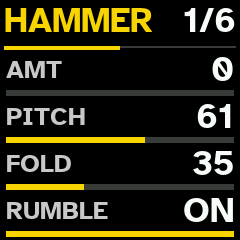
Circuit page
EDIT shows sound's 6 pages: circuit's own knobs, named for its mode (here HAMMER: AMT, PITCH, FOLD, RUMBLE), then ENV, WRECK, MACRO and 2 ROUTE pages. 1/6: page 1 of 6. KNOB 1–4 set rows shown; PRESETS turns to other 4.
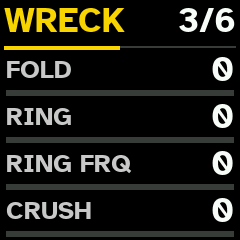
WRECK
After every voice: wavefolder, ring modulator with its own frequency, sample-rate reduction and (on other half) bit reduction. All at 0, it is bypassed.
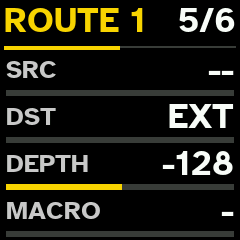
Route
Pulsar's cables, inside sound: source (SHAOS, LFO, divider, noise, FX output, any track's output or envelope), destination in circuit, depth, and macro that scales it. 4 per sound.
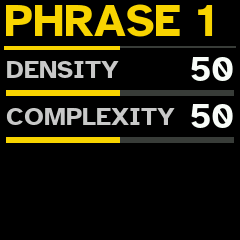
Phrase generator
In step view, 1st black key draws new phrase on track; held, this page sets how dense and how complex it comes out. Complex phrases bring polymeters, other clocks, Euclidean layers and ratchets.
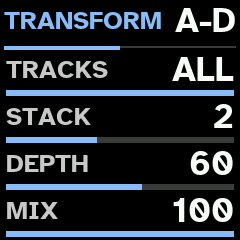
TRANSFORM
SHIFT and 6th black key held: random stack of effects over some tracks. Its page, key held alone: TRACKS, STACK, DEPTH and MIX. Each row has RND first, which draws new value at every press.
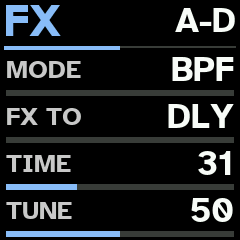
FX processor
SEQ turns through panel's pages: SHAOS, LFO, FX, MIX, then chosen track's DUCK and AUTO 1–3. FX is Pulsar's processor: BPF, DBL or PCH, delay or hall, TIME, TUNE, FB, clock that slows it, MAD!.
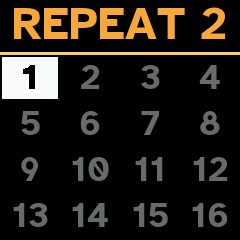
BREAK
3rd black key held breaks pattern; way it plays shows in title (here REPEAT 2). On PATTERNS grid, white key held saves break as pattern.
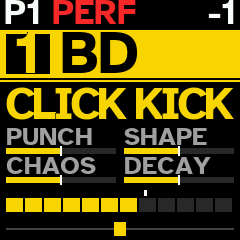
PERFORMANCE
7th black key: PERF in red while it is on. Change anything; press it again and all of it goes back. Main knobs move that macro on every track with notes.
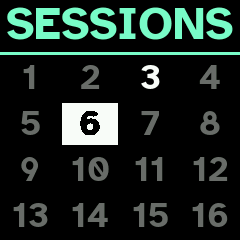
Sessions
SHIFT + SAVE: sessions, laid out as patterns are. White key loads its session at once; held, it saves session playing there.
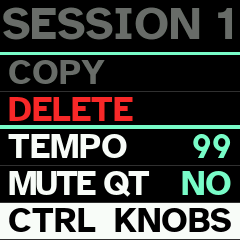
Session's page
SAVE on slot: LOAD, SAVE, COPY, DELETE, session's TEMPO and MUTE QT, and CTRL — what PERFORMANCE moves on every track: macros alone (KNOBS) or everything (ALL).